Lessons from building free tools for sellers: what we got wrong first

Illustration generated with AI
Infigrow AI started because listing on a marketplace was slow and repetitive, and nobody wanted to pay a large subscription to fix that. We built a small tool, then another. This post is a list of what we got wrong along the way. It is not a success story. It is meant to help other sellers and builders avoid the same mistakes, and to explain why the tools work the way they do.
Mistake 1: we assumed people would read instructions
Long instructions at the top of a tool page tend to go unread. People open a tool, try something, get stuck and leave. The lesson we try to follow is to make the first action obvious and to put short steps right next to the thing being done. That is why the tool pages carry numbered steps in plain words.
Mistake 2: we built features nobody asked for
It is easy to add things that feel clever. A feature that takes a week to build and that three people use is a poor trade. The best ideas come from messages: "can it also do this?" "it breaks when I do that". We try to start from a real task that someone described, and to check how many people share it.
Mistake 3: we underestimated how often websites change
A tool that works with another company's page, like a form filler for a marketplace panel, breaks when that page changes. And it changes without warning. A field gets a new name, a dropdown becomes a search box, a button moves. Every such change can stop the tool until we update it.
So we now build with this in mind: simple detection of fields, quick updates and honest notes on the page that panels change and that users should review what is filled before submitting.
Mistake 4: we thought automation meant users could stop checking
An autofill tool that fills a wrong value in fifty listings is worse than no tool. The saved profile is only as good as what the seller puts in it. We now tell people to confirm the HSN, GST and similar fields once, to review dropdowns after filling and to treat the tool as a helper that types, not a judge that checks.
Mistake 5: we ignored language and typing
Our Gujarati typing tool exists because text breaks between phones and print software. Assuming that Unicode alone is enough for everyone is an easy mistake: many print workflows use legacy fonts like EKLG-17, and Unicode text turns to boxes there. A two-way converter fixes what typing alone cannot. Asking a few print shops early is the cheapest way to find this out. See our post about EKLG and Unicode for the background.
Mistake 6: we hid the limits
It is tempting to describe tools in glowing terms and leave out what they cannot do. That leads to disappointed users and support messages. So each tool page should say plainly what it does not cover, for example that photos still have to be uploaded by hand, or that the paycheck calculators are estimates and not tax advice.
Mistake 7: we treated privacy as an afterthought
Sellers are rightly careful about their product photos, prices and customer details. We moved toward doing as much as possible in the browser: the image tool processes photos on your own device, and the calculators run locally. DropCode deletes drops after about a day. Where data must be stored, such as saved profiles in an account, we say so and keep it to what is needed.
A worked example: how the autofill idea changed
Ambitious automation ideas are fragile. A big spreadsheet-to-listing automation looks impressive, but sellers rarely have clean spreadsheets and marketplace panels change often. The simpler idea, save one profile of repeating fields and apply it with one click, is smaller and more useful. Many good tools come from cutting an ambitious idea down to the part that works every time. You can read how this works in our post on filling catalog fields faster.
What do we still get wrong?
We would rather say it than pretend. Documentation is thin in places. Some tool pages explain more than others. Support replies can be slow in busy periods. Features we planned take longer than we said. If something is unclear or broken for you, tell us through the contact page. We read the messages.
What can other sellers take from this?
- Solve a task you do every week. If it annoys you, it annoys others.
- Start small and ship a version that does one thing.
- Test on a real person who has not seen it before.
- Be honest about limits.
- Keep your own process in order before automating it.
A caution for readers
Tools help, but they do not replace judgement. Whatever tool you use, review its output before it reaches a customer or a marketplace. Keep your own records of what you list, print and ship. If a tool makes a mistake, the responsibility for what you publish remains yours. We build with that in mind, and we hope you use our tools in the same spirit.
What to do next
If you have a repetitive task in your business, write down the steps you take. Count how many times you do it a week. If it is more than ten, it may deserve a tool, a template or a checklist. And if you want to tell us what to build, send a note from the contact page.
FAQs
Why are your tools free? Many of them are free to use because they started as solutions to our own problems and because we want people to find the site useful. Some tools, like Listing Autofill, have a paid plan after a trial, and the pages say so.
Who builds the tools? Infigrow AI is built and maintained from Surat, Gujarat by a small team. The About page has the details.
Can I request a new tool? Yes. Describe the task, how often you do it and how you do it today. That helps us judge if it is worth building.
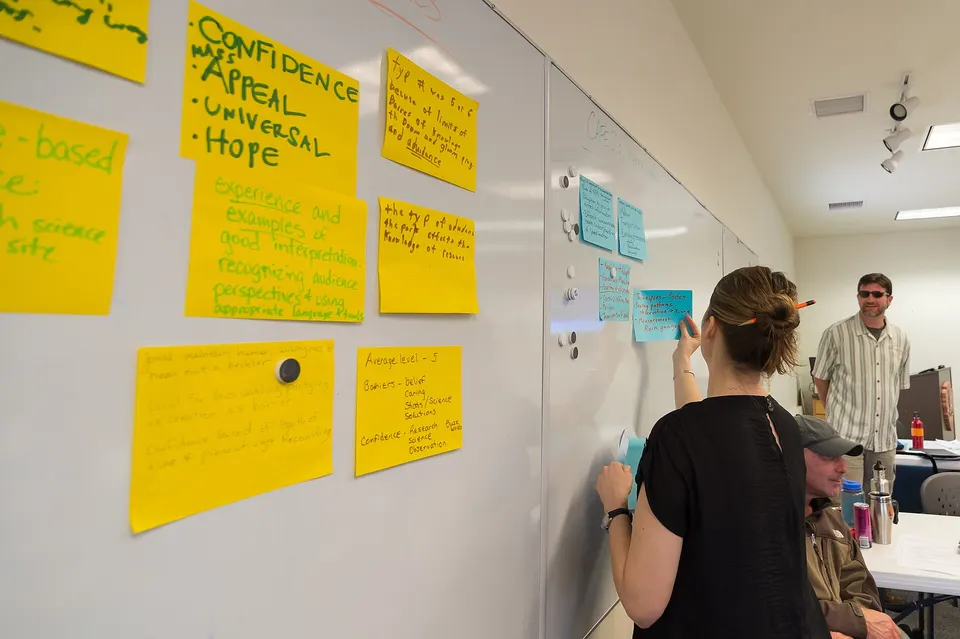
Image credits: Illustration generated with AI for Infigrow AI, Photo: Sticky Notes on a Whiteboard at a Climate Change Training for Joshua Tree Interpretive Rangers (16520442071) by Joshua Tree National Park (Public domain), via Wikimedia Commons